That aggravating, high-pitched shriek whenever the power grid falters can really get under your skin. Today, I’m going to show you how to silence that UPS alarm permanently, right on the workbench. I won’t be messing with tricky desoldering or flashing custom firmware. Instead, we’re going with a straightforward mechanical solution.
Author: LifeKaki
⚡ Quick Guide: Silence Your Backup Alarm in 8 Steps
- Deactivate power to the backup unit, disconnect all power cables, and detach the rubber feet.
- Remove all screws from the lower housing and separate the case sections.
- Unplug the white ribbon cable harness to provide unimpeded access to the main circuit board.
- Insert a small screw into the piezo horn aperture to mechanically disable the internal sounder.
- Examine adjacent board components to confirm no damage or short circuits occurred during modification.
- Firmly re-insert the ribbon cable into its corresponding connector on the display panel.
- Secure the shell seams and re-tighten all exterior screws into the frame.
- Energize the unit to confirm silent operation under simulated power outage conditions.
📋 In This Article
- Technical Specifications
- Tools & Materials — what you need
- Power Down and Strip the Base Pads
- Unfasten the Chassis and Split the Housing
- Detach the Ribbon Harness and Locate the Buzzer
- Drive the Mechanical Lockout Screw into the Sounder
- Verify Board Clearance and Trace Integrity
- Reseat the Interface Cable and Mate the Enclosure
- Fasten the Lower Chassis Screws and Press the Pads
- Bench Test for Silent Battery Backup Operation
📊 Technical Specifications & Hardware Details
| Device type | Desktop Uninterruptible Power Supply (UPS) |
| Buzzer component | Piezoelectric audio transducer |
| Muting method | Mechanical diaphragm compression |
| Fastener required | 1x small steel wood or sheet screw |
| Estimated bench time | 10 minutes |
📊 Project Overview & Costs (USA Market)
🔧 Difficulty Level: Easy
⏱️ Time Investment: DIY: 15-20 minutes | Pro: 5 minutes
💡 Verdict:DIY completion saves approximately in labor fees and avoids the purchase of an expensive pre-modified silent power unit.
Tools & Materials Used
• Small standard self-tapping screw
🔧
Home DIY Tool Set Auto Repair Combination Package Hand Tool Kit with Plastic Tool box, Screwdriver, Hammer
AliExpress 🛒
🛠️
BUY ON ALIEXPRESS 🛒
Recommended
Screwdriver Set For Gadgets
Step-by-Step Teardown & Buzzer Modification
Power Down and Strip the Base Pads
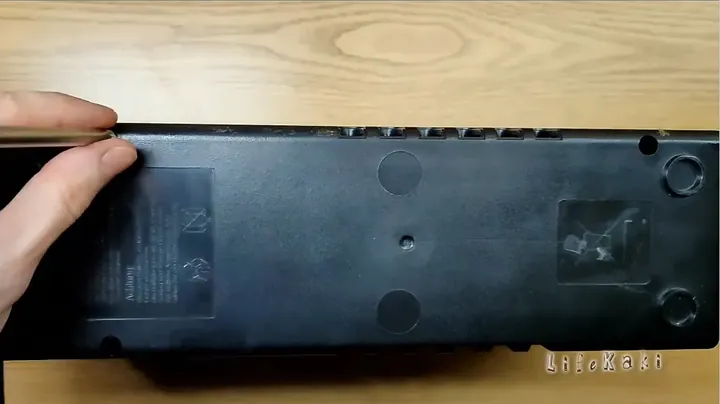
Before I even think about touching the chassis with any tools, always shut off the front power toggle switch and pull the main power plug directly from the wall. We can’t have live 120V or 230V mains current anywhere near the input stage while my fingers are inside the plastic housing. Next, gently flip the unit over, being careful not to let the heavy internal transformer shift or crash against the plastic mounts inside. Underneath the chassis, you’ll see rubber support feet tucked into recessed corners. Use a thin flat bit or even my thumbnail to pry them out. They’re usually hiding deep screw wells. Always keep these sticky feet parked on the edge of my mat so they don’t pick up any bench grime. Missing a hidden screw at this stage will snap the housing clips later on.
Unfasten the Chassis and Split the Housing
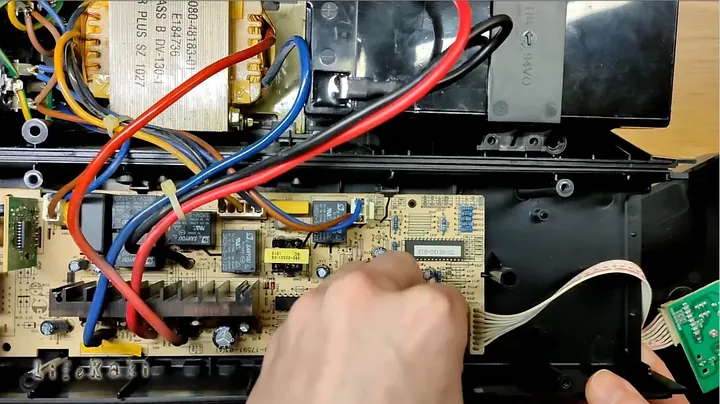
Grabbed a slim Phillips driver with good reach and sank it deep into the four corner cavities. Backed out all the perimeter fasteners one by one and dropped them into a magnetic dish so they wouldn’t roll away. Once those threads were disengaged, I worked my fingers into the side seams where the plastic shells interlock. The halves usually grip tight thanks to internal perimeter clips, so I wiggled them with steady pressure instead of trying to violently jerk them apart. Felt the tension give way with a firm pop. Separated the top lid just enough to peek inside without ripping any internal leads. The heavy laminated transformer sat dead center, right next to the green control board. Took a second to let the internal capacitors bleed off any residual charge naturally.
Detach the Ribbon Harness and Locate the Buzzer
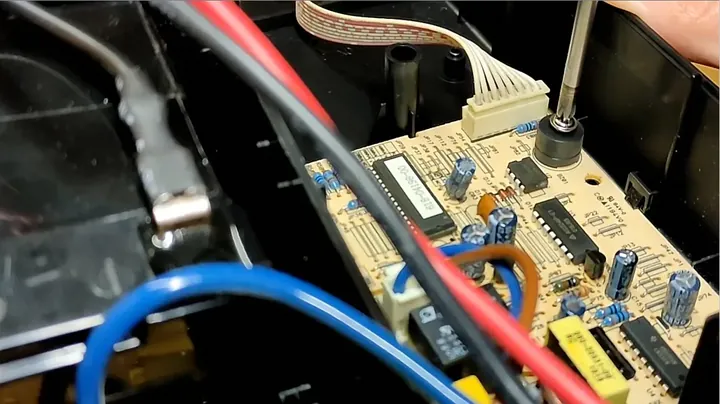
Gripped the white multi-wire ribbon harness near the header pins and tugged straight back, being careful not to twist the thin copper leads. Freeing this line gave me plenty of room to tilt the main housing without snapping the front panel connector. Next, I scanned the circuit traces near the micro-controller section, looking for a small, round black plastic cylinder. That tiny barrel with the pinhole in the center is the piezo beeper. It’s designed to create that ear-splitting frequency by vibrating a brass-and-ceramic disc whenever the input AC line cuts out. A lot of folks try to unsolder these, but trace pads on single-sided phenolic boards often peel off if the iron gets too hot. A mechanical lockout is much cleaner, and it’s completely reversible.
Drive the Mechanical Lockout Screw into the Sounder
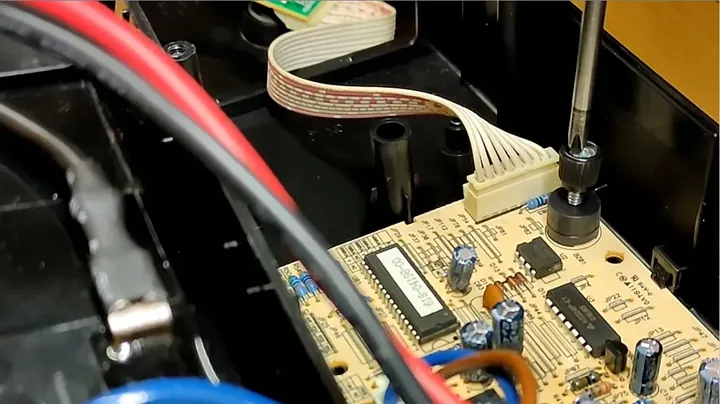
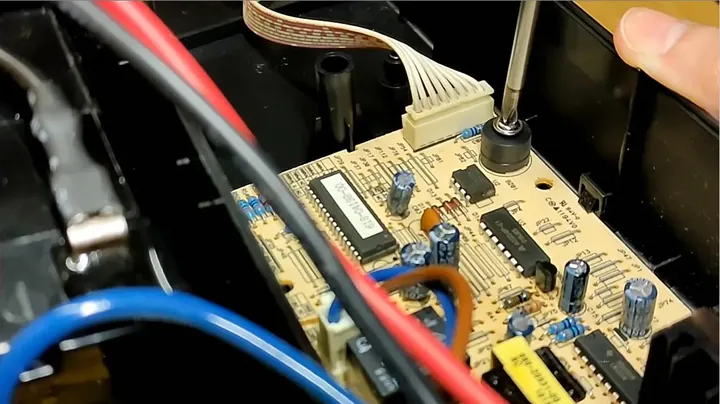
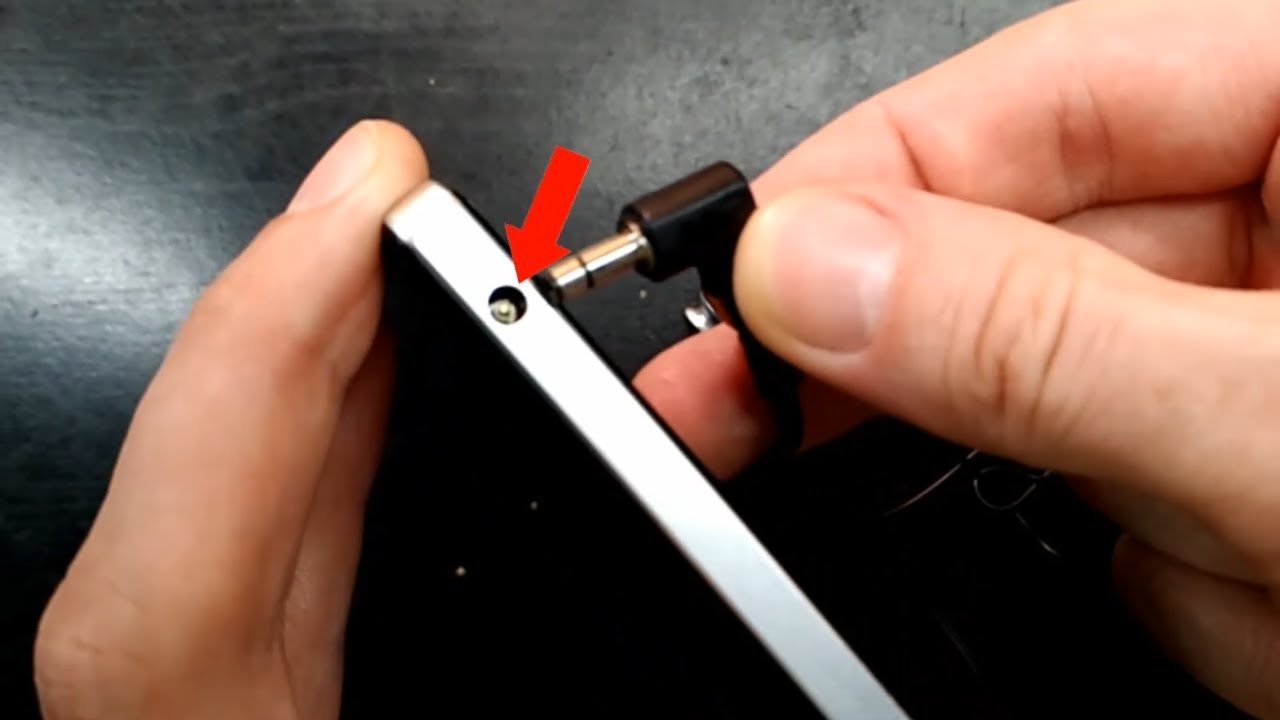
Selected a short, pointed self-tapping screw that fit snugly inside the sound hole of the black buzzer housing. I centered the tip squarely into the aperture until it bit into the thin metal diaphragm resting underneath. Then, I turned the screwdriver down slowly, using controlled, vertical force. Could feel a slight mechanical resistance as the steel threads dug into the brass resonator disc inside. Tightened it down until the screw head seated firmly against the plastic rim. What this does is pin that vibrating disc solid against its internal base plate, which dampens any sound waves before they can even form. Made sure not to crank down on it like a maniac, or I’d risk cracking the buzzer’s solder joints clean off the PCB traces. Just snug.
Verify Board Clearance and Trace Integrity
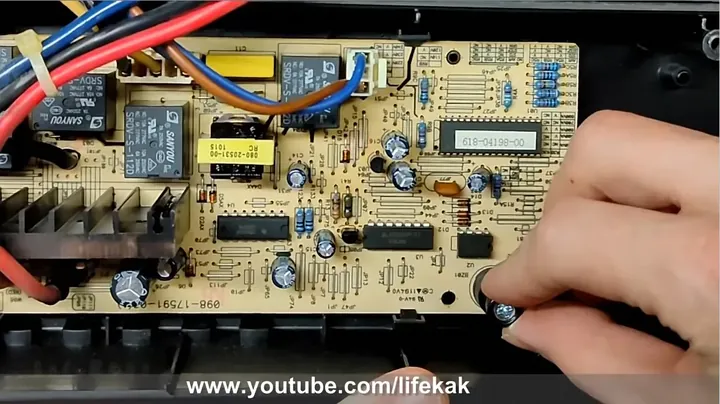
Always give the modified sounder a quick visual check under a bright work lamp before even thinking about boxing the chassis back up. I look closely around the two solder legs at the base of the black housing to make sure my mechanical pressure didn’t lift the solder pads from the circuit substrate. Then I gently wiggle the component with my index finger; it should feel solid with zero play. Also check the surrounding electrolyte caps and low-voltage resistors nearby to make sure the driver shank didn’t nick their jackets. Any stray copper dust or metal filings from the screw threading has to be blown away immediately. A quick burst of compressed air clears out any conductive debris.
Reseat the Interface Cable and Mate the Enclosure
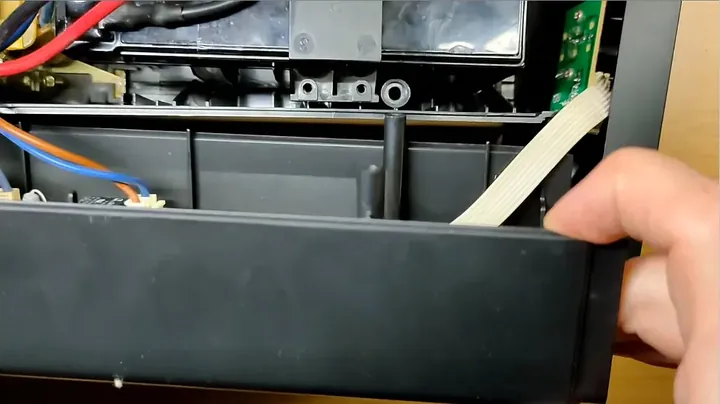
Lined up that flat white ribbon plug with its keyed receptacle on the front board and pushed until it seated flush. Could feel the plastic detent slide home smoothly without forcing any folded pins out of square. Routed the flat cable neatly along the internal wire channel so it stayed clear of the heavy iron transformer cores and heat sinks. Then, lifted the upper clamshell into position over the lower base. Checked both long sides to see that the mating tongue-and-groove lip slid evenly into place. Pressed downward firmly along the seams until the locking tabs snapped together with an audible click. If there was any noticeable gap anywhere along the seam, I’d pull it back apart and check for pinched wires.
Fasten the Lower Chassis Screws and Press the Pads
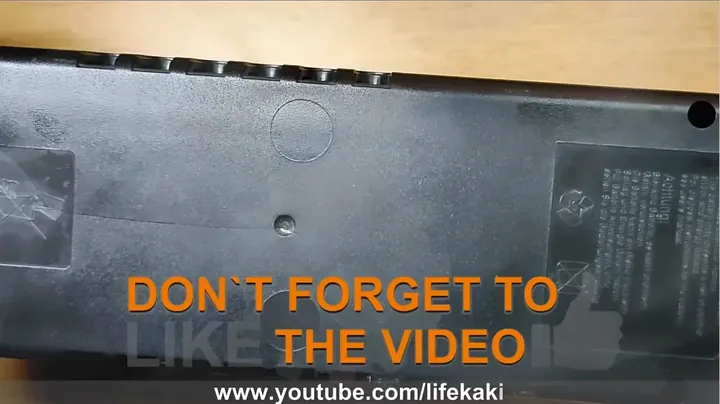
Ran my fingers along the seam lines around the perimeter to verify every clip was fully engaged and flush. Then, dropped the original case screws back down into their deep structural tubes on the bottom shell. Spun them down by hand first to make sure the steel threads caught the existing plastic grooves rather than cutting new, weaker paths. Snugged each screw down with my hand driver until it bottomed out against the plastic stop. Over-torquing will strip out those hollow ABS standoffs instantly, so went easy on the wrist action. Finally, peeled the backing on the rubber feet and seated them square back over the screw recesses, pressing hard on each pad for about five seconds so the adhesive stuck firmly.
Bench Test for Silent Battery Backup Operation
With the enclosure fully buttoned up and sitting flat on my workbench, hooked the input lead to an isolated power strip and plugged a test lamp into the rear battery outlets. Hit the main power rocker switch. The green LED indicator popped on solid, without any hiss or hesitation. Then, I cut the power strip rocker to simulate an immediate grid blackout. The internal transfer relay clunked hard as the inverter stages kicked in, but that piercing alarm didn’t make a sound. The lamp stayed lit cleanly, without an ear-splitting squeal waking up the entire house. Total peace and quiet on backup power. Job done.
⚠️ CAUTION: SAFETY WARNING!
High voltage warning: Desktop backup supplies contain heavy lead-acid batteries and charging transformers that retain lethal energy even when disconnected. Do not touch exposed internal heatsinks, bare PCB traces, or transformer lugs while the case is open.
Summary & Tips
The bottom line is that you don’t need to desolder board traces or risk bricking your firmware just to kill an obnoxious alarm. Sinking a tiny screw directly into the beeper’s core eliminates the sound vibration mechanically in just a few minutes. Just keep an eye on your battery status LED when the power drops, and you’ll enjoy a dead-quiet workshop.
📋 FAQ
❓ Will this mod stop the unit from running if the battery gets low?
No. The screw only immobilizes the metal diaphragm responsible for sound production. All charging circuits, low-voltage cutoffs, and inverter switches remain fully functional. Monitor the front warning light during power outages.
❓ Can I reverse this and get the alarm back later?
Yes, typically. Simply loosen the screw by one or two turns. Provided the brass disc was not completely perforated to the coils, the buzzer will resume vibrating immediately.
❓ Why not just solder a switch across the buzzer wires instead?
Board space is highly constrained on these low-cost units. Desoldering fragile copper tracks frequently damages the solder pads. Inserting a screw requires thirty seconds and poses no risk of shorting adjacent surface-mount components with a soldering iron.
Disclaimer: I purchased all tools for this guide with my own money to ensure an unbiased review. This post contains affiliate links, meaning I earn a small commission if you make a purchase at no extra cost to you.


Leave a Reply