Got an electric lint remover that won’t turn on? Been there. And usually the fix is way simpler than you’d think. Nine times out of ten it’s a dirty motor — carbon dust, lint, worn brushes. Today I’m cracking open a brand-new one to see what’s inside and get it running again so it can eat fabric pills like it’s supposed to.
Author: LifeKaki
⚡ Quick Guide: Fix a Dead Lint Remover in 10 Steps
- Empty the lint collector. Pull off the mesh cover and blades.
- Unscrew the housing. Split it open carefully — watch the clips.
- Pull out the motor and circuit board. Note the wiring.
- Crack the motor open. Look at commutator and brushes.
- Clean the commutator and brushes with alcohol and a swab.
- Reassemble the motor. Check continuity with a multimeter.
- Seat the motor and board back in the housing. Don’t pinch wires.
- Slide the blade back on. It should spin freely.
- Close the housing. Tighten screws in a cross pattern.
- Test on an old sweater. Listen for a smooth hum.
📋 In This Article
📊 Project Overview & Costs (USA Market)
Difficulty: Medium. Fiddly work but nothing exotic.
Time: DIY: 1-2 hours | Pro: 30-45 minutes
Tools & Materials Used
• Cotton Swabs
• Isopropyl Alcohol
🔧
Screwdriver Set For Gadgets
AliExpress 🛒
🔧
A830L Digital Multimeter
AliExpress 🛒
🛠️
BUY ON ALIEXPRESS 🛒
Recommended
Product tested in this video
Step-by-Step Assembly & Testing
Removing the Cover and Blades
First thing — dump the lint collector. It’s always packed with crap and it just makes the rest of the job messier. Now the transparent mesh cover over the blades. On some models it twists off, on others there’s a tiny tab you have to press. Once that’s off, the blades lift right off the motor shaft. Sometimes they’re stubborn — a bit of trapped lint can jam them on there. Whatever you do, don’t pry them. Those edges are razor-sharp. Bend one and the shave goes uneven forever. Set the blades somewhere safe where they won’t get knocked around or lost.
Opening the Housing
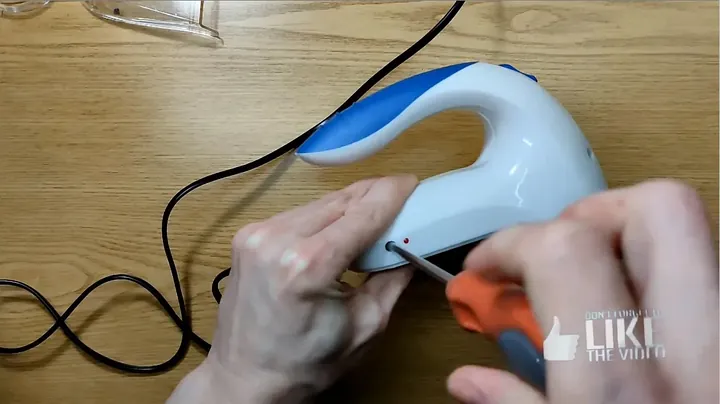
Now the body. Look for a few small Phillips screws holding the two halves together. Sometimes they’re hidden under rubber feet or a sticker, so check everywhere. Go slow — strip a screw head and you’ll be fighting it for the next hour. Once the screws are out, split the halves carefully. There are usually plastic clips along the seam, and they snap if you yank. Pop them one at a time. Inside, take a quick look around: loose wires, burned spots, corrosion on the battery contacts or the little board. Half the time you’ll spot the problem right here before you even pull anything out.
Pulling the Motor and Board
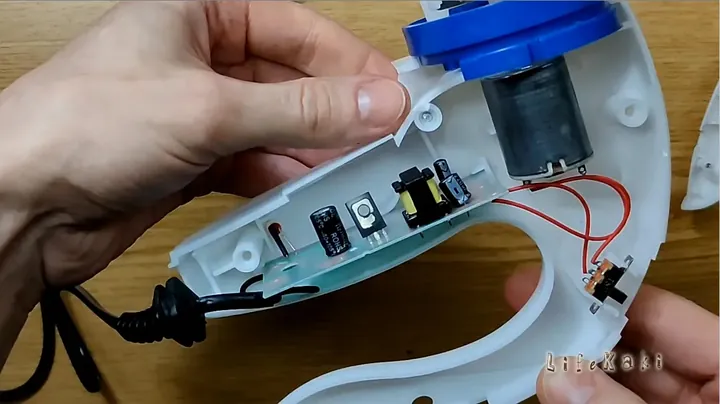
Inside you’ve got two things: the small DC motor and its little control board. Depending on the model, the motor is either pressed into a plastic bracket or held by a couple of screws. Find those fasteners. Then the wiring — check if it’s plugged in or soldered directly. If it’s soldered, grab the iron and gently heat the joint. Do not pull on the wire. Those leads are hair-thin and they’ll snap at the joint, turning a 5-minute job into a whole afternoon of re-soldering. Steady hands, slow moves. One wrong tug here and you’re done.
Inside the Motor
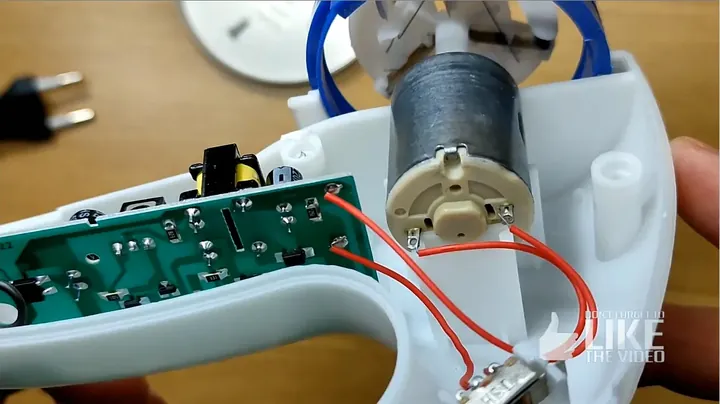
Time to actually open the motor. Most of these have a crimped metal case — you unbend the tabs or gently pry it apart. Inside you’ll find the commutator (bright copper cylinder with segments) and the carbon brushes that ride on it. That’s the whole show. Nine times out of ten the brushes are worn or the commutator is caked in carbon dust — that’s what kills contact. If the brushes are down to nubs, they won’t touch the commutator anymore, and the motor just sits there humming or doing nothing. Now you know whether a clean will fix it or you’re shopping for a replacement.
Cleaning the Commutator and Brushes
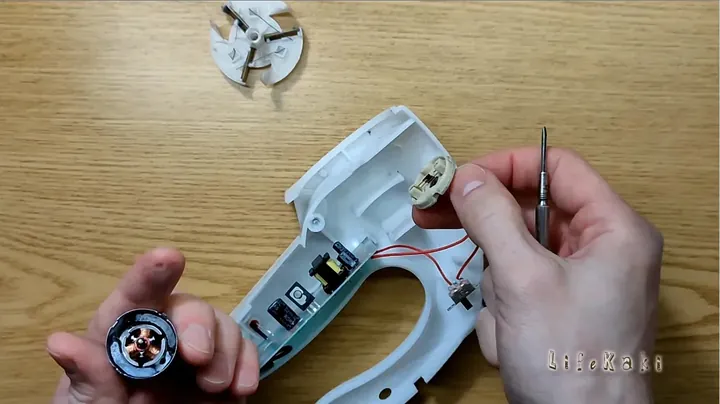
Cotton swab, isopropyl alcohol, and go. Wipe the carbon gunk off those copper commutator segments. Every bit of it. This is where contact happens, so it’s got to be clean or the motor won’t run right. Then clean around the brushes — they need to slide freely in their guides. Tiny bits of lint or dust trapped in there will jam them up. Seriously, do not skip this. Half the time a lint remover that “won’t turn on” just needs this exact 5-minute cleaning. Makes you feel like a wizard when it fires right up.
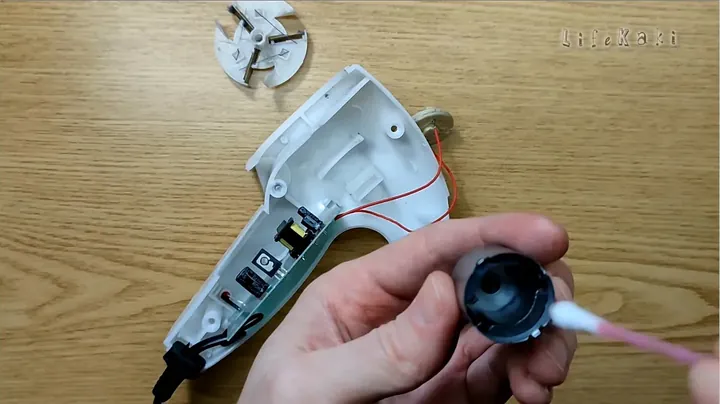
Reassembling the Motor
Now put the motor back together. This is the fiddly part. You need to guide the brushes back into position while sliding the armature in without bending the brush contacts. A tiny screwdriver or a pair of tweezers helps hold them back as the commutator goes in. Once the case is crimped back and feels solid, grab the multimeter. Set it to continuity or resistance and check across the motor terminals. A few ohms is what you want. That tells you the windings are intact and the brushes are actually touching the commutator. Open circuit or way-high resistance means something’s still off — open it back up and check your work.
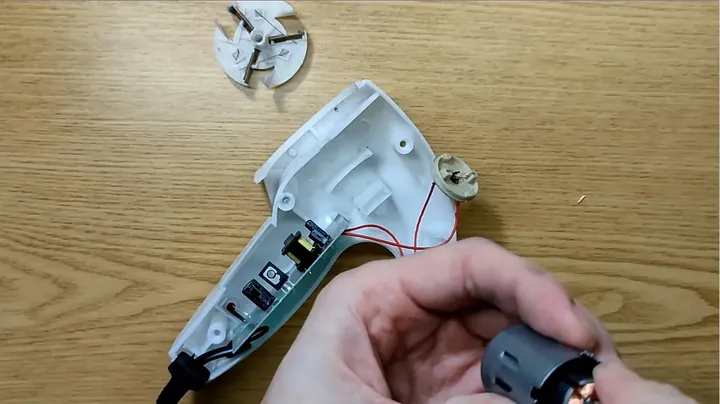
Seating Everything Back in the Housing
Motor’s clean, board’s fine, time to drop them back in. Watch the wires — they have to route through those molded channels in the plastic. Pinch a lead between the two housing halves and you’re back to square one with a short. These little gadgets are tight inside, so it takes patience. Make sure the motor sits firmly in its mount with no wobble. A loose motor means vibration, which means noise and faster wear. Nail this step before closing anything up.
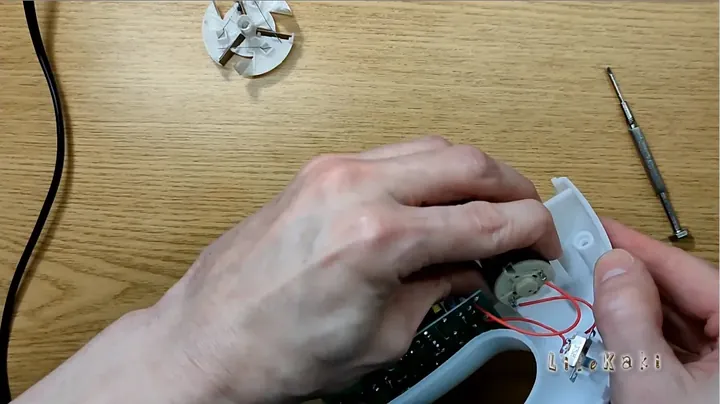
Blade and Mesh Cover Install
Slide the rotating blade back onto the motor shaft. There’s usually a flat spot on the shaft that has to line up with a matching slot in the blade hub. It should drop on with light pressure — no hammering needed. Give it a spin by hand. If it wobbles or rubs against anything, stop and re-seat it. A wobbly blade won’t shave right and it’ll eat the motor alive. Once it’s spinning smooth, snap the mesh cover back over it. That mesh is what keeps your fingers safe and stops the blade from grabbing fabric.
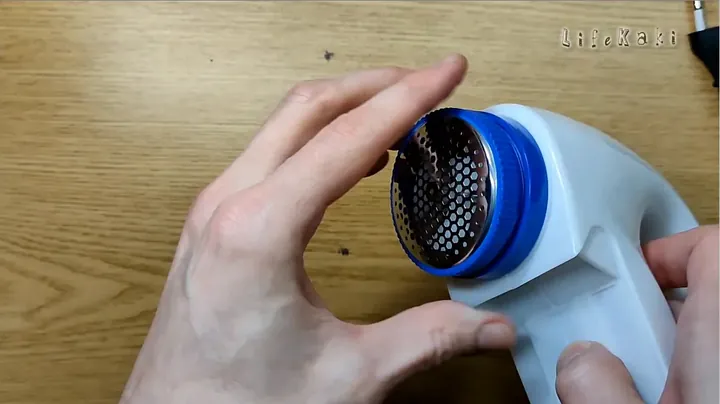
Closing It Up
Bring the two housing halves together. Line up the edges carefully. If your model has clips, they should snap cleanly with no gaps. Now the screws — put them in their original holes and snug them down. Snug, not tight. Over-tightening is the #1 way people strip plastic threads or crack the housing, and then all this work was for nothing. Go in a cross pattern like lug nuts on a car to keep even pressure. Sealed housing keeps lint and dust out, so it actually matters.
Final Test on Fabric
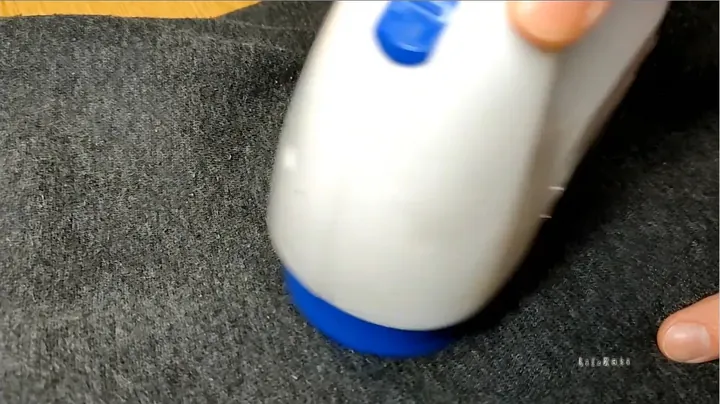
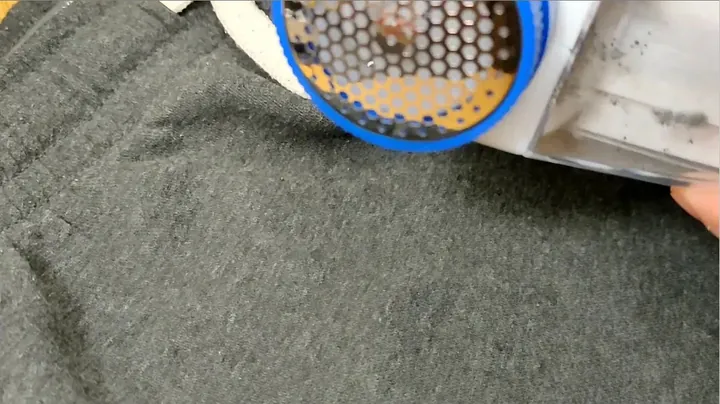
Moment of truth. Press the power button. Listen for a smooth, steady hum. Watch the blades spin through the mesh — no grinding, no vibration, no hesitation. Now grab an old pilled sweater and actually put it to work. The real test is whether it shaves clean without snagging the fabric or bogging down. If it cuts smooth and sounds healthy, you nailed it. Always satisfying when a gadget that was completely dead 20 minutes ago comes back to life.
⚠️ CAUTION: SAFETY WARNING!
Unplug before opening. Blades are razor-sharp — handle them over a tray so you don’t lose a finger. Eye protection recommended, because tiny springs and clips love to launch themselves across the room.
Summary & Tips
Bottom line: a dead lint remover usually isn’t dead. It’s just a motor full of carbon gunk that needs cleaning and reassembly. Twenty minutes of fiddling and you’ve saved a few bucks plus kept one more small appliance out of the trash. That’s a win.
📋 FAQ
❓ Why did my lint remover stop working?
Motor failure is the usual suspect. Carbon dust builds up on the commutator, brushes wear down, contact dies. Jammed blades from packed lint is second. Power supply problems are rare.
❓ Can I just replace the motor if cleaning doesn’t work?
Yes, but finding an exact match can be annoying. Many small DC motors share standard specs — just match the voltage and physical dimensions. It’s a more advanced job but doable.
❓ What tools do I actually need?
A precision screwdriver set (Phillips mostly), cotton swabs, and isopropyl alcohol. A multimeter helps but if you’re just cleaning, you can get by without it.
Disclaimer: I bought everything with my own money so the review stays honest. Some links are affiliate links — I get a small cut if you buy through them, at no extra cost to you.
🛒 Useful Links & Products
Product tested in this video
🛒 BUY ON ALIEXPRESS




Leave a Reply