I’ve got the ANENG GM320 infrared thermometer on my bench today to see if this budget-friendly pyrometer actually holds up for real workshop diagnostics. We’re going to tear it down to the board, check the sensor quality, and run it through some temperature tests to see if the readings are worth trusting. Let’s pop the casing open and see what’s really inside.
Author: LifeKaki
⚡ Quick Guide: How to Inspect and Use the GM320
- Review the manual for emissivity settings and distance-to-spot ratios.
- Insert two fresh AAA batteries into the handle compartment.
- Power on the device and verify the LCD backlight and laser pointer.
- Measure room temperature and ice to calibrate your expectations.
- Test high-heat surfaces using a heat gun for verification.
- Unscrew the casing to access the internal PCB.
- Inspect the infrared sensor and laser module alignment.
- Reassemble the housing carefully to ensure proper button seating.
- Perform a final functionality check on a known heat source.
📊 Technical Specifications & Components
| Model | ANENG GM320 |
| Temperature Range | -50 ~ 330°C (-58~626°F) |
| Power Supply | 2 x AAA Batteries |
| Display | 1.9-inch Digital LCD |
| Measurement Type | Non-contact infrared |
📊 Project Overview
🔧 Difficulty Level: Easy
⏱️ Time Investment: DIY: 15-20 minutes | Pro: 5 minutes
💡 Verdict: Doing this teardown and inspection yourself saves you the cost of a professional diagnostic fee, which is plenty to cover the price of the tool itself.
Tools & Materials Used
🔧
Screwdriver Set For Gadgets
AliExpress 🛒
🔧
Industrial Heat Gun
AliExpress 🛒
🛠️
BUY ON ALIEXPRESS 🛒
Recommended
Digital Infrared Thermometer ANENG GM320
Step-by-Step Assembly & Testing
Manual Overview
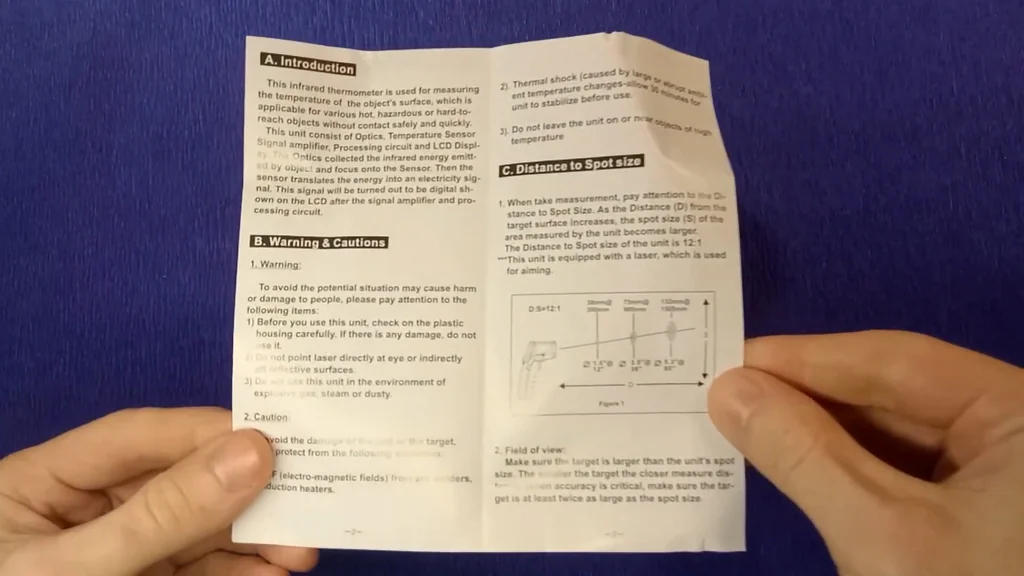
Starting with the documentation is always a solid move before you start poking at electronics. I’m looking at the user manual to confirm the distance-to-spot ratio, which is critical for accurate readings. You don’t want to be measuring from too far away or the cone of detection will be too wide. It lists the emissivity settings, which you’ll need to keep in mind for reflective surfaces. If you ignore these specs, your readings will be way off. The manual is straightforward and keeps the technical jargon to a minimum. I’m checking the recommended operating temperature range to make sure it handles my workshop environment. It’s a quick read but provides the baseline for everything that follows. No surprises here, just standard operating procedures.
Device Inspection
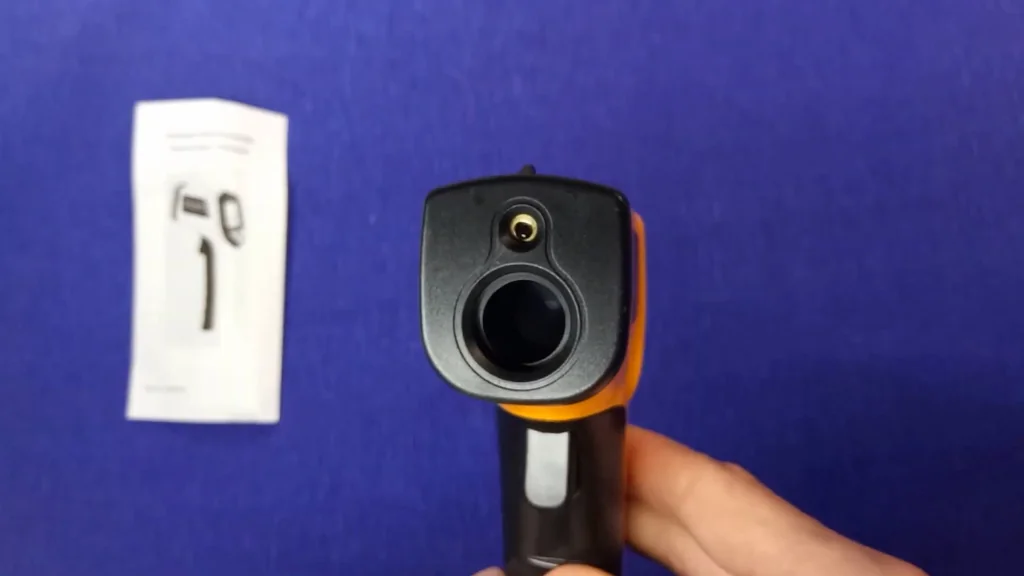
Taking a close look at the build quality, the plastic feels lightweight but reasonably sturdy for a budget tool. The trigger has a nice tactile click, which is a good sign for longevity. I’m checking the lens cover to make sure there are no scratches or dust particles that could interfere with the infrared sensor. The laser aperture is clearly marked, and the ergonomics seem decent for a one-handed grip. It’s compact enough to fit in my tool pouch without taking up much room. I’m inspecting the battery door latch to see if it feels flimsy or secure. Everything looks aligned properly, and there’s no rattling when I shake it. It’s a basic design, but it looks functional enough for daily tasks.
Temperature Measurement Tests
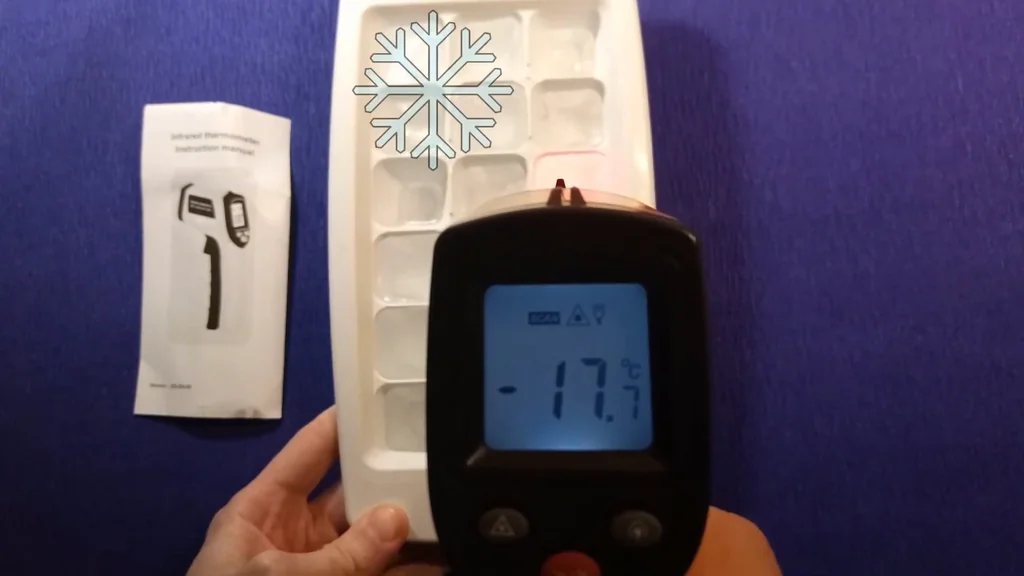
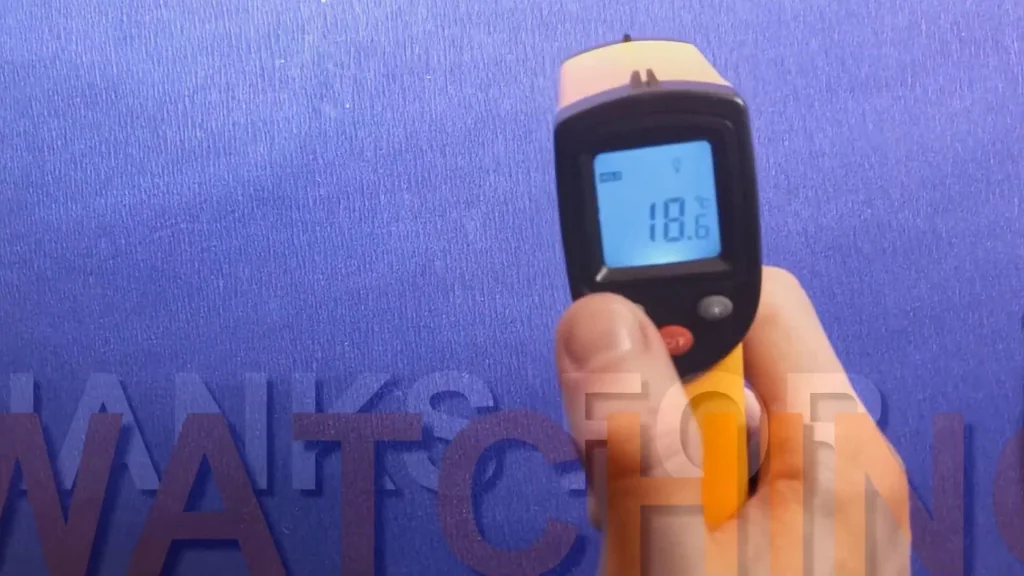
Time to see if this thing actually works. I’m starting with a room temperature check, then moving to an ice tray to see how it handles the cold end of the spectrum. The display pops up with the reading almost instantly, which is exactly what you want. I’m holding the trigger down and scanning the ice surface to watch the numbers drop. It’s important to keep the thermometer steady to avoid picking up ambient air temperature instead of the target. The infrared sensor seems responsive enough for a quick check. I’m cross-referencing the reading with my expectations for melting ice. It’s not a lab-grade instrument, but it’s giving me consistent data. The numbers are stable and don’t jump around erratically.
High Temperature Test
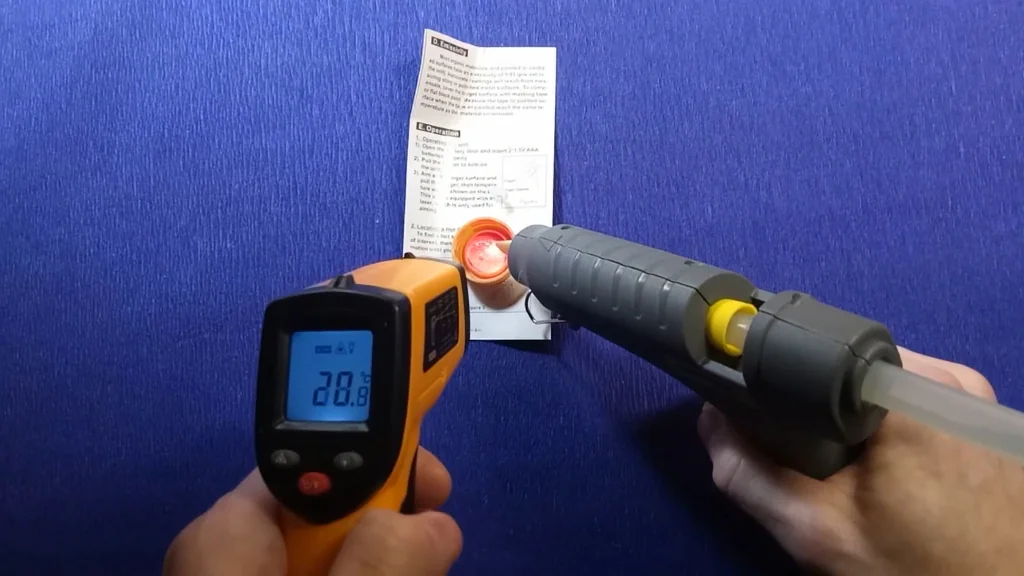
Now I’m cranking up the heat gun to test the upper limits of this sensor. I’m pointing the laser at the nozzle area to get a reading on the hot air output. The numbers climb rapidly, proving the sensor is sensitive to quick thermal changes. I’m keeping a safe distance to avoid melting the plastic casing of the thermometer itself. It’s a good way to verify that the device doesn’t freeze up when exposed to higher temperatures. The backlight makes the display easy to read even in a dim workshop. I’m watching for any lag in the digital readout as the heat gun cycles. It holds up well and gives me a clear, readable temperature. This test confirms it’s reliable for basic HVAC or engine diagnostics.
Disassembly: Removing Screws
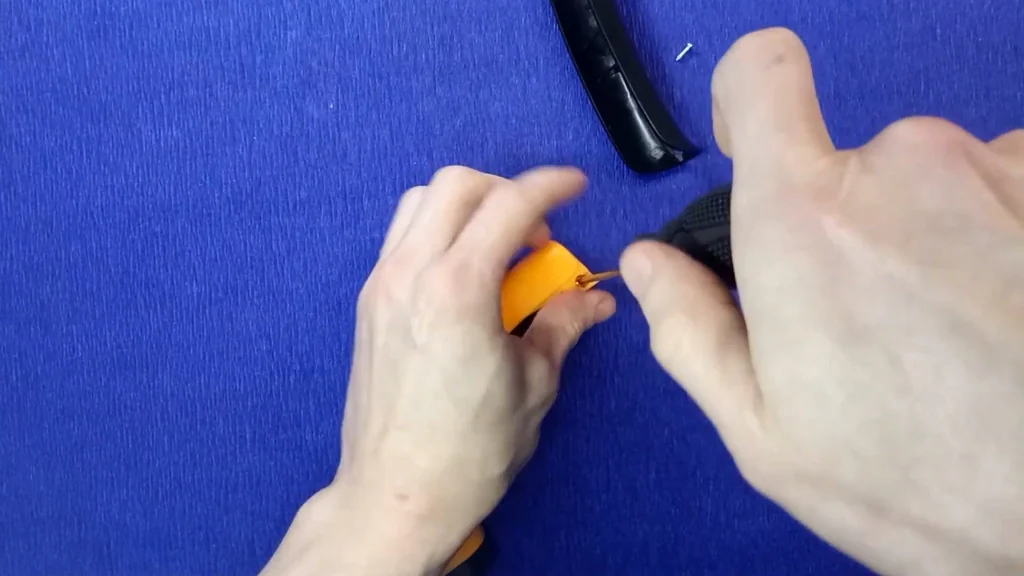
I’m grabbing my precision screwdriver set to pop the housing open. There are a few small screws holding the handle together, and I’m making sure to keep them organized so they don’t get lost. I’m using a magnetic tip to pull them out without stripping the heads. The plastic is a bit tight, so I’m applying steady pressure to avoid cracking the casing. Once the screws are out, the handle halves should separate easily. I’m being careful not to force it, as there might be hidden clips inside. It’s a standard assembly, nothing too complex. I’ve got the battery compartment open first to ensure there’s no power going to the board while I work. Everything is coming apart exactly as expected.
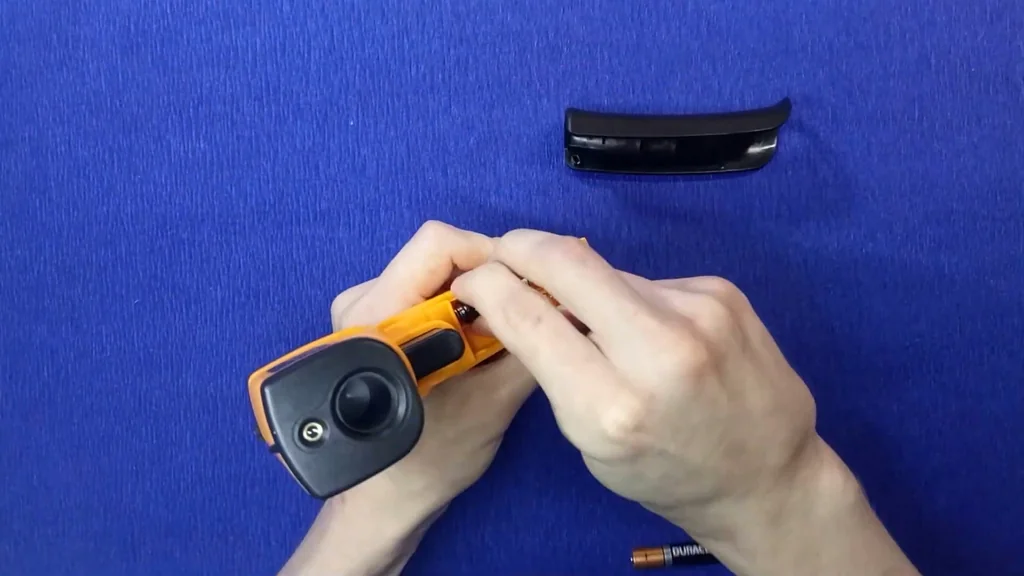
Opening the Plastic Casing
With the screws removed, I’m gently prying the casing apart. You have to be careful here because the internal components are held in place by small plastic tabs. I’m working my way around the seam with a thin pry tool to pop the clips without snapping them. The two halves finally give way, revealing the internal PCB and the battery wiring. I’m taking a moment to look at how the trigger mechanism is seated. It’s a simple spring-loaded setup, which is easy to fix if it ever gets stuck. The wires look thin but are soldered securely to the board. I’m keeping the halves together so I don’t lose the buttons. It’s a clean interior with no signs of poor manufacturing or loose parts.
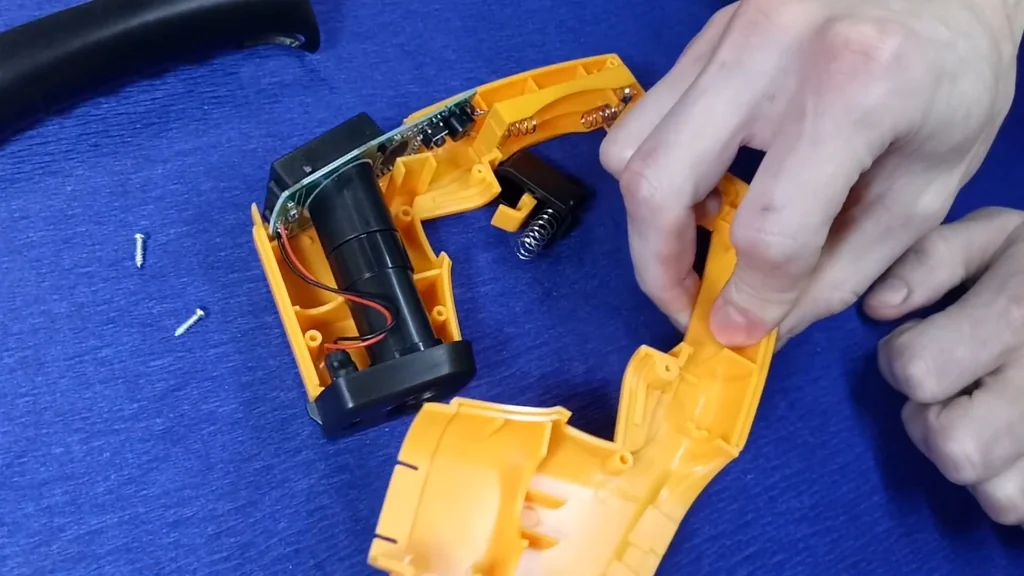
Internal Components and Circuit Board Analysis
Now that it’s open, I’m checking the circuit board for any cold solder joints or signs of overheating. Everything looks surprisingly clean for a budget device. The microcontroller is clearly visible, and the battery contacts are well-positioned. I’m inspecting the wiring to ensure there’s no risk of a short circuit. The trigger switch is a simple tactile button that looks durable enough for thousands of clicks. I’m checking the LCD ribbon cable to make sure it’s seated properly. It’s a compact layout, which is good for keeping the overall size of the tool down. I don’t see any obvious flaws in the assembly. This is a solid, no-frills design that gets the job done without unnecessary complexity.
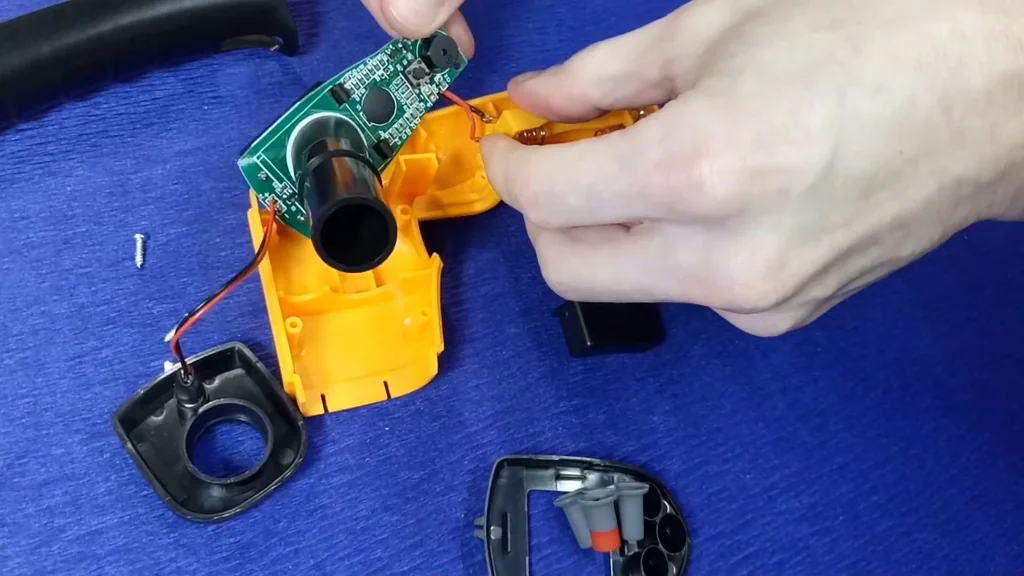
Sensor and Laser Module Detail
The heart of the device is this infrared sensor and laser module. I’m inspecting the lens to ensure it’s perfectly aligned with the aperture. If this is off-center, your readings will be inaccurate because you won’t be measuring the exact spot the laser hits. The laser diode is mounted on a small bracket, which seems stable. I’m checking the wiring to the sensor to make sure it’s not pinched or frayed. The sensor itself is a standard thermopile, which is common in these types of tools. It’s a delicate component, so I’m avoiding touching the lens surface with my fingers. Everything looks properly mounted and secured. This level of build quality is perfectly fine for the price point.
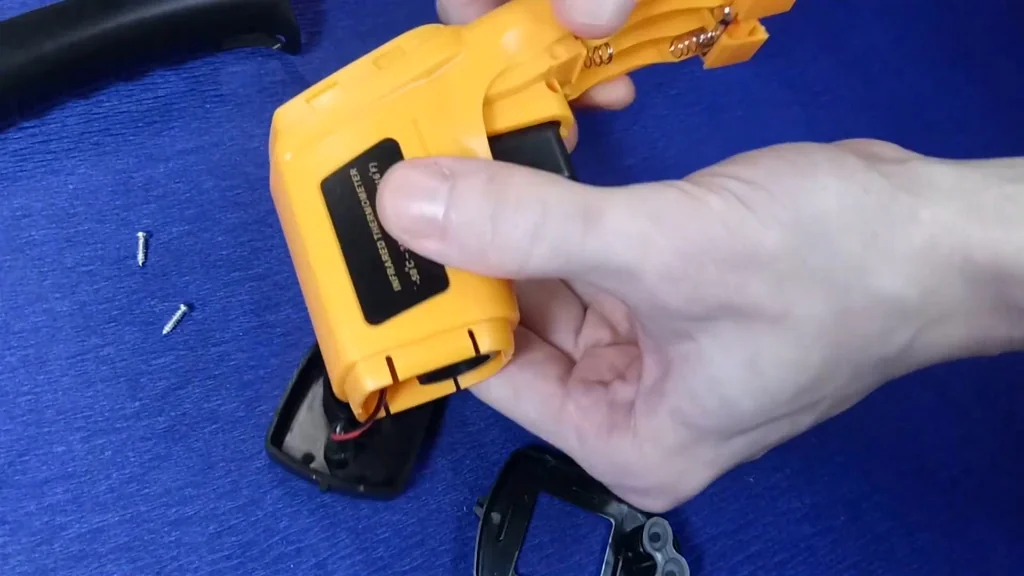
Reassembling the Device
Putting it back together is just the reverse of the teardown. I’m aligning the two halves of the casing, making sure the buttons are seated in their slots. I’m checking that no wires are getting pinched between the plastic edges as I press them together. Once the halves click into place, I’m reinserting the screws. I’m not over-tightening them, just snugging them up until they’re flush. The battery door goes back on last, and it snaps shut with a satisfying click. I’m giving the device a quick shake to ensure nothing is loose inside. Everything feels solid and ready for use again. It’s a quick process if you’re careful with the alignment.
Final Functionality Check
Time for the final test to make sure I didn’t break anything during the teardown. I’m popping the batteries back in and hitting the trigger. The display lights up immediately, and the laser pointer is active. I’m taking a quick reading on a random surface in the shop to verify it’s still calibrated. The numbers are steady and match my previous tests. The backlight works perfectly, and the buttons are responsive. Everything is back to normal, and the tool is ready to go back into the rotation. It’s a relief when a teardown goes smoothly and the device works just as well as it did before. Solid result for a quick afternoon project.
⚠️ CAUTION: SAFETY WARNING!
Always wear eye protection when working with lasers, even low-power ones. Never point the laser directly into your eyes or anyone else’s.
Summary & Tips
Bottom line: the GM320 is a straightforward, no-nonsense tool that does exactly what it says on the box. It’s not a high-end lab instrument, but for general workshop diagnostics, it’s more than capable. Just keep an eye on your distance-to-spot ratio and you’ll be fine.
📋 FAQ
❓ Can I use this to measure my body temperature?
Nope. This is for industrial and surface use only. It’s not accurate enough for medical purposes. Don’t try it.
❓ Does it come with batteries?
Actually, no. It usually ships without batteries. You’ll need to have two AAA batteries ready to go.
❓ Is the laser pointer accurate for targeting?
Yeah, it’s accurate enough for general work. Just remember the laser shows the center of the spot, but the sensor reads a wider area depending on your distance.
Disclaimer: I purchased all tools for this guide with my own money to ensure an unbiased review. This post contains affiliate links, meaning I earn a small commission if you make a purchase at no extra cost to you.
🛒 Useful Links & Products
Digital Infrared Thermometer ANENG GM320
🛒 BUY ON ALIEXPRESS



Leave a Reply